
Forward up to 20 accounts to any email address
If you're floundering in multiple e-mail accounts and just want to use one account for all, then Mail Forward may be able to help you.
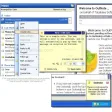
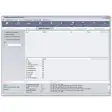
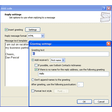
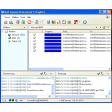
The simple application can forward forward mail from AOL, Gmail, Hotmail, MSN, Netscape, and Yahoo web mail accounts to any email address. Not only that, but it can also forward mail from standard standard POP e-mail accounts such as in Outlook or Outlook Express. You can choose, when you delete mail, whether you want it deleting from both accounts or just one of them. The original mailbox address will be used as the return address for the forwarded mail, so if the mail is undeliverable it will be returned to the original account. A nice feature, especially if you send out newsletters regularly or a habitual group e-mail, is the option to use a built-in scheduler that allows you to forward mail at a specified time. If you've got any scripting skills, you can also use scripts to forward e-mail at periodic intervals. This latest version includes support for forwarding mail from alternate, international, and custom domains which means those such as live.com, yahoo.co.uk etc.
A simple solution to your mail, forwarding needs although don't expect it to forward everything instantly.




















User reviews about Mail Forward
by Anonymous
Unify your webmail.
If you have multiple webmail addresses Mail Forward is a clever way of unifying them all and receiving them in one place. It definitely saves you time and the hassle of signing in and out all the time.Yet if you have a mail client like Outlook or Thunderbird, that application can already do the job for you, so Mail Forward wouldn't be much use. I'm also worried that, considering Gmail and Yahoo Mail are constantly improving (and already offer mail forwarding, albeit not for up to 20 accounts) this type of app could quickly become obsolete.
Pros:
forwards POP and webmail like Gmail, Yahoo or Hotmail
Manages up to 20 accounts
discreet
Good for synchronizing to one webmail
Cons:
Useless if you have a mail client like Outlook More